

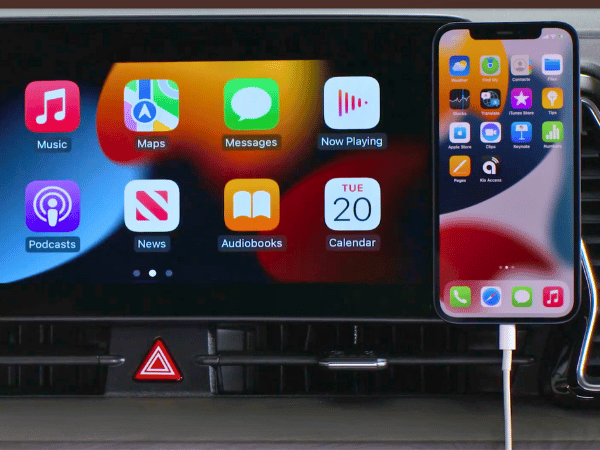
Stay connected on your journey with Apple CarPlay and Android Auto. These features allow you to use your phone safely without taking your eyes off the road. Whether it's making calls, getting directions, or changing the music, these features have you covered. At Crain Kia of Sherwood, we're excited to demonstrate how these technologies can significantly improve your time on the road, making them essential for every driver.
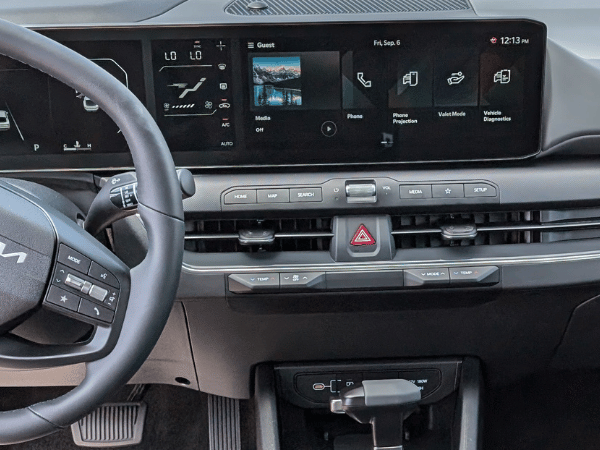
Shop Crain Kia of Sherwood's selection.
Connecting Your Smartphone
Connecting your phone with your Kia's infotainment system is simple. You can connect as many as six devices without wires, making it perfect for groups wanting to share their music or podcasts. However, remember that specific models might need a cable for connection. After linking up, you can smoothly operate your apps and phone functionalities from the car's display.
Easy Access to Your Apps
Connect your phone using Apple CarPlay or Android Auto to use your apps directly on your Kia's screen. This lets you call, text, and find your way without touching your phone, making it safer and more convenient.
- Calling and Texting: You don't need to remove your hands from the steering wheel to make calls or send messages. Simply utilize Siri or Google Assistant for assistance.
- Play Media: Enjoy listening to your favorite playlists, podcasts, or audiobooks while on the move. With Apple CarPlay and Android Auto, you can conveniently use your preferred media applications, such as Spotify and Apple Music.
- Maps: No need to struggle with your phone to find your way. Use applications such as Apple Maps, Google Maps, or Waze to display your directions right on your car's display screen. Plus, these apps offer real-time traffic updates, allowing you to steer clear of any hold-ups.
Voice Commands
Apple CarPlay and Android Auto make driving more fun by letting you control features with just your voice. Siri or Google Assistant can help you with directions, music, or messages without needing to pick up your phone. This helps you stay focused on driving, keeping you and your journey safe and pleasant.
App Connect Tips
Here are some tips to help you get the most out of your App Connect functionalities:
- Check Compatibility: See whether your smartphone can connect to Apple CarPlay or Android Auto. While it's common for newer models to be compatible, it's a good idea to make sure.
- Read Your Car's Manual: Each Kia model has its own unique layout. To get the exact setup steps, please check the owner's manual for your car.
- Keep Your Phone Updated: Make sure to update your phone and its applications to ensure everything runs smoothly.
Learn about Kia Connect technologies on our blog.
Hitting the road is much more enjoyable with Apple CarPlay and Android Auto. These features allow you to stay connected, blast your best tunes, and get information without taking your eyes off the road. Whether you're hooking up your device wirelessly or with a USB cord, you're set for a smarter and safer trip. Let Kia's handy features upgrade your driving experience next time you're out and about.

 Warranties include 10-year/100,000-mile powertrain and 5-year/60,000-mile basic. All warranties and roadside assistance are limited. See retailer for warranty details.